

How to Set Up & Optimize Your Google Business Profile for HVAC Businesses: Step-by-Step Guide
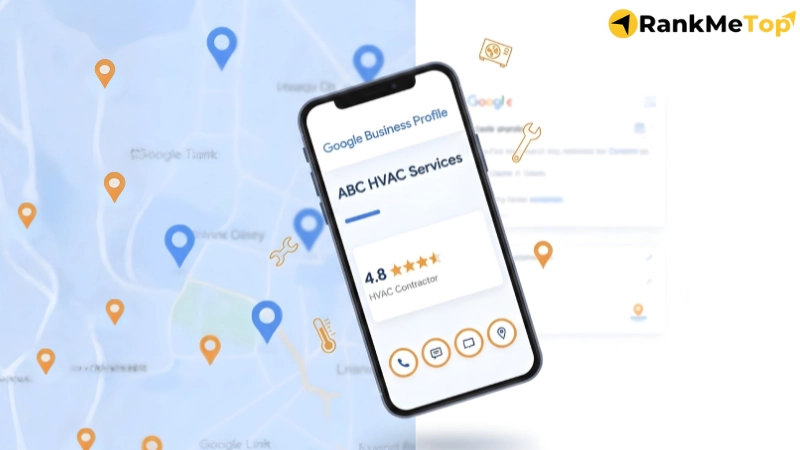
You can set up and optimize your Google Business Profile (GBP) by signing into Google and creating or claiming your listing. Add essential business details such as your address, phone number, website, and service hours. Select HVAC Contractor as your primary category, upload your logo, and write a brief description of your services. Once complete, verify your profile through postcard, phone, email, or video to activate it and increase visibility in local search results for services like HVAC repair and 24/7 HVAC contractors near me.
For GBP optimization, ensure that your HVAC business categories are accurate, and expand your services list to include all HVAC offerings. Regularly post seasonal updates, offers, and company news, while actively responding to customer reviews. Enable features like call buttons, messaging, and booking options. Upload high-quality, authentic photos to enhance credibility, and use GBP Insights to track and adjust your profile’s performance to improve local SEO and customer engagement. Regular updates and a well-maintained profile increase your chances of converting visibility into customer actions such as calls, quotes, and booked jobs.
How to Set Up Your HVAC Google Business Profile?
To set up your HVAC Google Business Profile (GBP), sign in to Google, create or claim your listing, and add key details like your address, phone number, website, and service hours. Write a brief description, upload photos, and select HVAC Contractor as your primary category. Then verify your profile via postcard, phone, email, or video. Once verified, your HVAC GBP will appear in local search results, improving visibility and local SEO, making it easier for customers to find you when searching for services like HVAC repair or 24/7 HVAC contractors near me.
Step 1: Sign In to Google and Open Google Business Profile
Go to the official Google Business Profile website and sign in using a dedicated business Google account rather than a personal one. This account will be the primary owner, ensuring professional control and easy management transitions for managing the HVAC business listing. If your business does not have a Google account, create one specifically for your HVAC company before proceeding to the management interface to search for or start your listing.
Step 2: Create or Claim Your HVAC Business Profile
Once signed in, you will be directed to the Google Business Profile management interface. Enter your HVAC business name in the search bar to see if a listing already exists. If an unclaimed profile appears, select it to confirm ownership, and if it is already claimed, click Request Access. If no listing exists, create a new one using your exact real-world HVAC business name to ensure your optimization efforts are tied to the correct entity.
Step 3: Choose Your Business Type
When setting up your profile, you will need to select your business type. As an HVAC contractor, you should choose Service Business. This reflects the nature of your business, where you typically provide services such as heating and cooling system installations, repairs, and maintenance at the customer’s location, rather than having customers visit a physical storefront. Additionally, selecting Service Business helps Google understand that your HVAC company operates within a defined service area, which affects how your listing appears on Google and the locations Google associates with your business, ultimately impacting your local search visibility.
Step 4: Add Your Business Address
Next, enter your physical business address into the Google Business Profile system. Whether your HVAC business is based out of a commercial office, warehouse, or home-based location, Google allows you to enter a real address. For HVAC businesses that do not serve customers at a physical address, you can choose to hide your address from public view. However, even with a hidden address, Google uses this information for verification and to determine the central location of your business.
Step 5: Add Your Phone Number and Website
Enter your primary business phone number, whether it is the main line or a call-tracking number. A local phone number is recommended, as it signals proximity to local customers, which helps build trust. Avoid using a toll-free or generic number, as a local number is more credible for local searches. Next, add your website URL, whether it is a homepage or a dedicated page that best represents your HVAC services (e.g., heating, cooling, or maintenance).
Step 6: Request Verification From Google
Choose a verification method (postcard, phone, email, or video) to activate your GBP. Most HVAC companies use the postcard or video options. Do not edit your core details while waiting for your verification code, as this can reset the process and delay your listing’s visibility in search results.
Step 7: Add Your Operating Hours
List your standard heating and cooling business hours so customers know when they can book routine maintenance. If you offer emergency 24/7 service, include those details to capture high-intent HVAC leads during breakdowns. Keep these hours updated for holidays to maintain customer trust and avoid missed opportunities.
Step 8: Write Your HVAC Business Description
Draft a friendly, professional description that outlines your experience and main services like installation, repairs, and maintenance. Avoid sales pitches, links, or promotional offers, as these violate Google’s guidelines. Focus on clear, helpful language that tells homeowners why your HVAC team is reliable.
Step 9: Upload Your Logo and Business Photos
Upload your HVAC business logo and a high-quality cover photo first. Follow up with real-world images of your branded vans, team members, and completed jobs. High-resolution, authentic photos build significantly more trust than stock images and help your profile stand out in Google Maps.
Step 10: Choose Your Primary and Secondary Categories
Set your primary category to “HVAC Contractor” to ensure you rank for core industry searches. Add secondary categories like “Air Conditioning Repair Service” or “Furnace Repair” to capture specific service requests and unlock specialized profile features.
Step 11: Connect Google Ads and Claim Any Available Credit (Optional)
Link your profile to Google Ads if you want to run Local Services Ads (LSAs) or standard PPC campaigns. This connection improves ad relevancy by using your verified GBP data. While optional, it can significantly boost visibility during peak heating or cooling seasons.
How to Optimize Your HVAC Google Business Profile?
You can optimize your HVAC Google Business Profile by refining your business categories, expanding your services list to include all HVAC offerings, posting seasonal updates and offers, and actively managing customer reviews. Enable features like call, messaging, and booking options to allow direct communication with potential clients. Enhance your business description to clearly highlight your services and value, while incorporating relevant keywords naturally. Finally, use GBP Insights to track your profile’s performance and adjust strategies to improve local SEO and customer
Step 1: Check and Update Your Categories
Review your primary category and ensure it is set to HVAC Contractor. This is the most critical signal to Google, ensuring you rank for HVAC-related searches like AC repair. Beyond the primary, evaluate your secondary categories and add only HVAC service-relevant options such as “Heating Installation,” “Air Conditioning Repair Service,” or “Emergency HVAC Services.” Accurate categorization ensures Google matches your listing to the specific problems your customers are trying to solve.
Step 2: Improve Your Services List
List all major HVAC services you provide, such as AC installation, furnace repairs, and emergency HVAC services. Write each service in simple, clear terms so homeowners immediately understand what you offer. For specialized work like air duct sealing, add extra details to explain the benefit. A complete services list helps Google match your business to relevant HVAC searches, improving customer engagement and local SEO.
Step 3: Publish Posts for offers, updates and seasonal HVAC issues
Use GBP Posts to share short, timely updates directly on your listing. Share seasonal maintenance reminders (e.g., “Get your AC ready for summer”), limited-time discounts, or company news. Keep these posts concise, include a clear call-to-action, and add an engaging photo. Regular posting keeps your profile active and provides searchers with helpful information that can tip the scales in your favor during peak seasons.
Step 4: Reply to every review directly in your Google profile
Responding to reviews shows customers your HVAC business is active and values feedback. Thank customers for positive reviews and address concerns in negative ones. Ensure replies are professional, polite, and helpful, which builds trust and credibility with potential customers.
Step 5: Enable Call, Message and Booking features
Make it as easy as possible for customers to reach you by activating Google’s instant contact features like call buttons, messaging, and booking options in your GBP. These features make it easy for customers to reach you directly, especially during HVAC emergencies when response time is everything.
Step 6: Upload high-quality, recent photos regularly to your profile
Photos are visual proof of your professionalism. Regularly upload high-resolution, real-world images of before-and-after jobs, your team in uniform, and your branded work vehicles. Use the “Photos” tab to organize these into categories like Logo, Cover, and Work. Authentic photos build much more trust than generic stock images and demonstrate to customers that your HVAC business is established and reliable.
Step 7: Write a Keyword-Rich, Natural HVAC Business Description
Craft a clear, conversational business description that highlights your HVAC services and the areas you serve. Include keywords like heating installation, AC repair, and duct cleaning, but avoid keyword stuffing. Instead, focus on a benefit-driven message that highlights your experience, reliability, or 24/7 availability to improve your relevance in local search results.
Step 8: Use GBP Insights to See What’s Working
Use the GBP Insights (Performance) dashboard to track how customers find and interact with your profile. Review metrics like the specific search terms people use, the number of phone calls generated, and photo engagement. Checking these metrics regularly allows you to refine your categories and content over time, helping you adjust your strategy to secure higher-quality HVAC leads and better local SEO performance.
Why Does Google Business Profile Matters So Much for HVAC Contractors?
For HVAC contractors, a Google Business Profile (GBP) is crucial as it serves as the main online gateway, controlling how HVAC contractors appear across Google Search and Google Maps. This profile provides instant access to key business details like contact information and operating hours, helping customers find HVAC services during urgent searches such as “AC repair” or “emergency furnace repair.” A well-optimized GBP enhances visibility, boosts local search rankings, and significantly increases the likelihood of turning that visibility into customer actions, such as calls, quote requests, and booked jobs.
How GBP Works as a Free Local Visibility Asset for HVAC Contractors?
Google Business Profile (GBP) appears directly in Google Search and Google Maps, placing HVAC contractors in front of potential customers at the moment they search for local HVAC services. Customers often use these listings as the first point of reference when searching for services like AC repair, heating installation, or emergency heating and cooling services.
GBP also increases exposure without requiring paid ads, showing business details like name, address, phone number, hours, photos, and reviews directly in search results. This visibility makes it easier for customers to verify your HVAC business’s credibility and services quickly. Ultimately, GBP ensures consistent, free visibility for HVAC businesses, helping them capture local traffic and grow their customer base.
How does Google Business Profile affect local map rankings?
The Local Map Pack is ranked based on relevance, distance, and prominence, and GBP provides most of the signals for these factors. Relevance is influenced by accurate business categories, services, descriptions, and operating hours. Distance is determined by the business address and service areas listed in GBP. Prominence is boosted by factors like reviews, photos, business activity, and overall.
When your profile fields are complete, accurate, and active, Google receives stronger ranking signals. Therefore, by optimizing your GBP through regular updates, posts, and customer reviews, you increase your chances of appearing in the Local Map Pack for competitive local searches, making it easier for customers to find and choose your HVAC services.
How does Google Business Profile generate leads for HVAC Contractors?
Google Business Profile generates leads by offering homeowners immediate ways to contact HVAC businesses through features like the call button, messaging/chat, website link, or booking options directly on the listing in Google Search and Google Maps. Trust signals such as customer reviews, high-quality photos, and a clear business description increase the likelihood that customers will take action.
Additionally, posts showcasing offers or seasonal HVAC services further attract attention during peak times. By appearing in the Local Map Pack for high-intent searches like “HVAC contractors near me,” GBP connects HVAC businesses with customers when they are ready to book, driving leads and helping HVAC businesses grow.
How Should HVAC Companies Handle Multi-Location Google Business Profiles?
For multi-location HVAC companies, it is essential to create a separate Google Business Profile (GBP) for each branch to ensure that customers see the correct address, phone number, and service coverage for their specific area. Google treats each location independently to maintain accurate local visibility, ensuring that each branch appears in the relevant local searches.
To effectively manage multi-location HVAC GBP profiles, follow these key steps:
- Create one GBP listing per physical location using a valid address.
- Use a consistent business name format, adding a city or region identifier if needed (e.g., “ABC Heating & Cooling – Chicago”).
- Assign a unique phone number to each location to ensure accurate call routing and track activity per branch.
- Create a dedicated landing page for each branch on your HVAC website.
- Set service areas around each location’s verified address to match the actual coverage area.
- Maintain consistent NAP formatting (Name, Address, Phone) across all listings, while keeping each location’s unique details accurate.
- Manage reviews, photos, and updates separately for each location to reflect its local operations.
- Monitor GBP Insights for each location to track search behavior and customer interactions in each region.
Common Google Business Profile Mistakes HVAC Contractors Should Avoid
The common GBP profile mistakes HVAC contractors should avoid are stuffing the business name, having inconsistent contact details (NAP), neglecting reviews and messages, and allowing outdated information. These issues can harm your online visibility, lower trust, and prevent your HVAC business from appearing in important local searches.
- Keyword-Stuffing Your Name or Description
Adding extra keywords or service phrases to your HVAC business name violates Google’s guidelines and reduces trust. Your HVAC business name must match its real-world name for consistency and credibility. Overstuffed descriptions confuse customers and can negatively impact local search performance.
- Inconsistent NAP and Duplicate Listings
Ensure NAP information is consistent across your GBP, website, and directories, as inconsistent details can confuse Google and harm visibility. Duplicate listings split customer actions and reduce the authority of your main profile, making it harder to find accurate HVAC business details.
- Ignoring Reviews, Q&A, and Messages
Failing to respond to reviews, Q&A, and messages makes your profile appear inactive and less reliable. Timely replies show professionalism, build trust, and improve customer engagement, especially during urgent situations when quick responses are critical.
- Letting Your Profile Info Go Out of Date
Outdated information, like incorrect hours or phone numbers, creates confusion and leads to missed opportunities. Regularly update your profile to ensure customers have accurate, reliable details, improving trust, satisfaction, and visibility in local searches.
FAQ
What to do if your business is already claimed by someone else? +
If your business is already claimed, search for your business on Google and select “Request Access” to submit an ownership request form. Google will notify the current owner, who has the option to grant access. If the request is denied or ignored, you can appeal via the email link. If the issue remains unresolved, contact Google Support for help recovering access. Avoid creating duplicate listings.
Do I need a website to rank my HVAC GBP? +
No, you can rank in the Local Map Pack without a website, as GBP provides Google with key business details like services, hours, phone number, and reviews. While a website is not required, it can boost visibility and add credibility, providing more detailed information for customers. Adding a website later can further strengthen your presence and enhance SEO.
How long does Google Business Profile verification take for HVAC Contractors? +
Verification times for HVAC contractors can range from instant to several weeks, depending on the verification method. Typically, postcard verification takes 1-2 weeks, while phone or email verification is faster. Video verification may take a few days, but Service Area Businesses (SABs) or those requiring manual review may experience delays of 2-4 weeks due to extra vetting for legitimacy. In some cases, contractors may need to provide state licenses or proof via video (such as a branded vehicle or tools). Always check your GBP for updates during the process.
Can one GBP listing cover multiple cities in my HVAC service area? +
Yes, a single GBP listing can cover multiple cities within the legitimate service area of your HVAC business. GBP allows up to 20 defined service areas tied to one verified address. Ensure service areas are realistic and grouped around the physical address to maintain relevance in local searches.
How often should I post or update my HVAC GBP? +
Post about offers, seasonal tips, service reminders, or company updates. Add new photos monthly, and update profile information (like hours and services) as changes occur. Frequent updates signal to Google and customers that your business is engaged, improving local search visibility and customer trust.

Raju Khadka
Raju Khadka is the founder of RankMeTop, a digital marketing expert specializing in SEO for Plumbing & HVAC. With over 10 years of experience, he has trained more than 300 students and helped 200+ businesses grow online. His focus on data-driven strategies and AI-powered solutions has enabled him to deliver measurable results, achieving up to 300% ROI for service companies within just 12 months.
